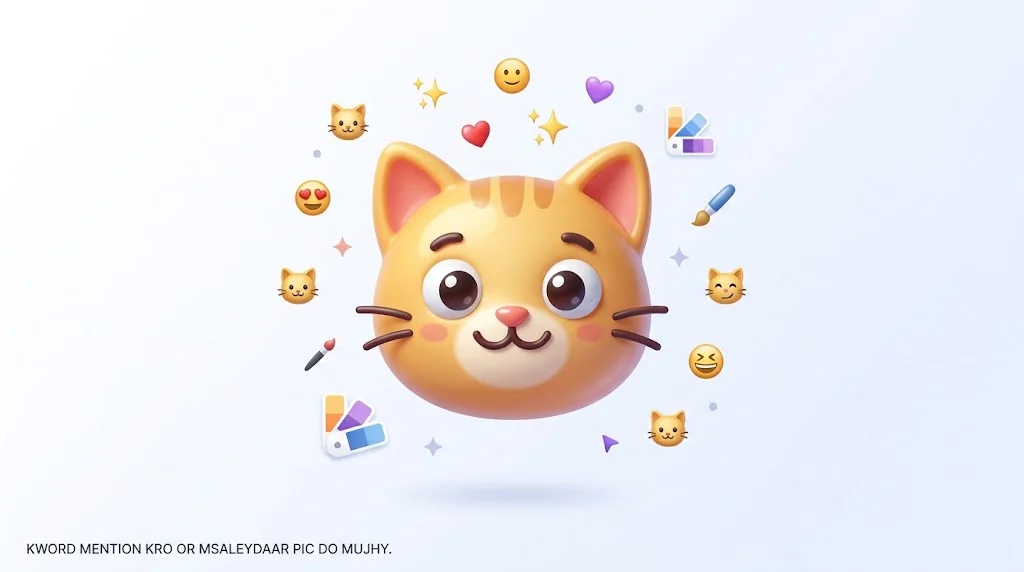
An emoji cat maker turns symbols into expressive cat creations for chats, captions, posts, and creative projects. Whether you want a cute cat emoji, a funny cat face, or a custom combination, the maker helps you create something personal, playful, and recognizable. Understanding how symbols appear and work together matters when you want your message to feel clear, intentional, and easy.
In this guide, you’ll learn what an emoji cat maker is, how it works, and how to create eye-catching cat emojis with Unicode characters. We’ll explore popular cat styles, creative combinations, practical examples, common mistakes, and ways to copy and share your creations. You’ll also see how context can change emoji meaning, helping you create expressive cat designs with confidence.
Quick Answer
An emoji cat maker is a tool that lets you create a customized cat emoji, avatar, or sticker by choosing features such as eyes, ears, colors, expressions, accessories, and art styles. Some newer tools also use AI to create a cat emoji from a written prompt or reference image.
What Is an Emoji Cat Maker?
An emoji cat maker is a creative tool for designing your own custom cat emoji rather than using only the standard cat emojis already included on your device.
Depending on the tool, you may be able to customize:
- Cat face shape
- Eyes and eye expressions
- Ears
- Mouth
- Fur color
- Fur patterns
- Accessories
- Hats and glasses
- Facial expressions
- Backgrounds
- Art styles
- Animation effects
Some makers use a traditional mix-and-match system, while AI-powered tools can generate a cat emoji from a description. Current cat emoji makers include browser-based generators, image editors, avatar creators, sticker makers, and mobile apps.
The result may be a static PNG, animated GIF, sticker, avatar, or custom emoji-style image depending on the tool.
What Can You Create With an Emoji Cat Maker?
The biggest advantage is customization.
Instead of choosing a standard 🐱, you can create something that matches a particular mood, personality, joke, character, or visual style.
For example, you could make:
Cute cat:
🐱✨ Pink ears, big eyes, soft pastel colors, and a small smile.
Happy cat:
😺 Bright eyes, open smile, raised ears, and colorful accents.
Grumpy cat:
😾 Lowered eyebrows, flat ears, and a serious expression.
Sleepy cat:
😴 Closed eyes, relaxed ears, and soft colors.
Funny meme cat:
Large eyes, exaggerated mouth, unusual accessories, and a dramatic expression.
Personal cat character:
A custom fur pattern, eye color, collar, bow, hat, or other recognizable feature.
The exact options depend on the maker. Some tools provide hundreds of layered components, while AI generators may let you describe the entire character in a prompt.
How Does an Emoji Cat Maker Work?
Most cat emoji makers follow a simple process.
1. Choose or describe your cat
Traditional makers may start with a basic cat template.
AI tools may instead ask you to describe what you want.
For example:
“Cute orange cat with huge green eyes, pink cheeks, and a tiny blue bow.”
A more specific description usually gives the tool more information about the desired appearance.
2. Customize the expression
The expression can completely change the personality of the cat.
You might choose:
- Happy
- Sad
- Angry
- Surprised
- Sleepy
- Confused
- Excited
- Shy
- Mischievous
- Laughing
Some cat maker apps specifically offer customizable eyes, mouths, ears, faces, accessories, and expressions.
3. Add colors and accessories
You can make the character more distinctive with:
- Orange or gray fur
- Black or white markings
- Hats
- Glasses
- Bows
- Collars
- Hoodies
- Sparkles
- Other decorative elements
4. Export the design
Depending on the service, you may be able to save the result as a PNG, GIF, sticker, avatar, or another image format.
Transparent PNG is especially useful when you want the cat design to work over different backgrounds. Some online makers specifically support transparent exports.
AI Emoji Cat Maker vs. Traditional Cat Maker
There are two common approaches.
| Type | How It Works | Best For | Customization |
|---|---|---|---|
| AI cat emoji maker | Describe the cat with text or provide an image | Fast, original concepts | High |
| Template-based maker | Select and combine preset parts | Consistent character designs | High |
| Avatar creator | Build a character from layered features | Profile pictures and characters | High |
| Sticker maker | Turn designs into chat stickers | Messaging and reactions | Medium to high |
| Animated emoji maker | Adds movement or effects | Discord, Slack, Twitch, and communities | Depends on tool |
AI tools can be useful when you already have a very specific idea. Traditional makers can be easier when you want precise control over individual parts such as eyes, ears, mouth, colors, and accessories.
Best Prompts for an Emoji Cat Maker
If your tool uses AI, a clear prompt can make a big difference.
Try these examples:
Cute Cat
Cute pastel orange cat emoji, big sparkling eyes, tiny pink nose, happy smile, soft 3D style, clean transparent background.
Funny Cat
Funny cartoon cat emoji with huge surprised eyes, open mouth, raised ears, exaggerated expression, colorful 3D sticker style.
Sleepy Cat
Sleepy gray cat emoji with closed eyes, tiny yawn, relaxed ears, soft rounded shapes, cozy pastel style.
Angry Cat
Grumpy black cat emoji with narrowed eyes, lowered ears, serious expression, polished 3D sticker style.
Kawaii Cat
Kawaii white cat emoji with pink cheeks, large glossy eyes, tiny bow, soft pastel colors, clean rounded design.
Meme Cat
Dramatic orange tabby cat emoji with exaggerated shocked expression, wide eyes, open mouth, funny reaction style, transparent background.
A useful prompt usually identifies the subject, expression, appearance, style, and background instead of simply saying “make a cat emoji.”
How to Make Your Cat Emoji Look Better
Small emoji-style graphics need to remain recognizable even when displayed at a small size.
Keep the expression clear
A simple happy face is often easier to understand than a face with too many tiny details.
Make the eyes noticeable
Eyes carry a large part of the emotional expression. Big or clearly shaped eyes can make the intended mood easier to recognize.
Use one main emotion
Instead of asking for a cat that looks happy, angry, sleepy, surprised, and confused at the same time, choose one primary expression.
Avoid unnecessary details
Too many accessories can make a small emoji difficult to read.
Use a clean background
A transparent or simple background helps the cat remain visible when used in chats, stickers, or graphics.
Emoji Cat Maker for Custom Stickers
An emoji cat maker can also be useful when your goal is a sticker rather than a standard Unicode emoji.
This distinction matters.
A custom image that looks like an emoji does not automatically become a new Unicode emoji. Unicode maintains the standardized emoji character set, while custom emoji and stickers can be created independently by apps, communities, designers, and other services.
For example, Unicode identifies 🐱 as Cat Face, while a custom cat illustration created with an emoji maker is simply a custom graphic unless it has been incorporated into a separate platform’s custom emoji system.
Some cat emoji makers specifically support sticker packs for services such as WhatsApp and Telegram, while other tools target custom emoji systems used by communities and chat platforms.
Standard Cat Emojis vs. Custom Cat Emojis
The standard Unicode set already contains several cat-related emojis.
Here are some of the most useful ones to know:
| Emoji | Official Name | Common Meaning | Tone | Where or When It Is Used |
|---|---|---|---|---|
| 🐱 | Cat Face | Cat, cuteness, affection | Cute, friendly | Everyday texts, pet conversations |
| 😺 | Grinning Cat Face With Open Mouth | Happiness or playful excitement | Cheerful | Fun reactions and casual chats |
| 😸 | Grinning Cat Face With Smiling Eyes | Warm happiness and amusement | Happy, playful | Friendly reactions |
| 😹 | Cat Face With Tears of Joy | Laughing very hard | Humorous | Funny messages and jokes |
| 😻 | Smiling Cat Face With Heart-Shaped Eyes | Love, admiration, strong affection | Affectionate | Cute reactions and compliments |
| 😼 | Cat Face With Wry Smile | Mischief, irony, or a sly expression | Playful, ironic | Jokes, teasing, knowing reactions |
| 😽 | Kissing Cat Face With Closed Eyes | Kissing or affection | Affectionate | Sweet messages and playful affection |
| 😾 | Pouting Cat Face | Pouting or displeasure | Annoyed, sulky | Complaints, teasing, mock anger |
| 😿 | Crying Cat Face | Sadness or crying | Sad, emotional | Sympathy, disappointment, dramatic reactions |
| 🙀 | Weary Cat Face | Tiredness or being overwhelmed | Dramatic, distressed | Reactions to stressful or exhausting situations |
Unicode’s current emoji charts list these cat face characters and their official names, while Unicode’s FAQ explains that an official character name is an identifier and does not necessarily describe every possible meaning people give an emoji.
The most important distinction is between standard Unicode emojis and custom emoji-style graphics. 🐱 is a standardized Unicode character. A cat you create with a maker is usually an image, sticker, avatar, or platform-specific custom emoji.
Emoji Cat Maker Ideas for Different Uses
For texting
Create simple reaction cats with clear expressions.
Examples:
- Happy cat
- Laughing cat
- Shocked cat
- Sleepy cat
- Angry cat
For social media
Use a more recognizable visual style with bold expressions and clean shapes.
A custom cat can work as a reaction graphic, profile image, post decoration, or meme-style image.
For gaming communities
Animated or expressive cat emojis can work well as custom reactions and community graphics. Some makers specifically support animated emotes for platforms such as Discord, Slack, and Twitch.
For a personal avatar
A character maker can be useful when you want a cat character that represents your preferred colors, accessories, hairstyle, or personality.
For your own cat
Some AI services allow users to create cat emoji sets based on photos of their pets. For example, PurrFam describes a workflow that uses one to three cat photos to create a set of custom pet emojis.
Emoji Cat Maker Examples
Here are some simple ideas you can turn into custom designs.
Reaction cat:
Wide eyes + open mouth + raised ears
Love cat:
Heart-shaped eyes + pink cheeks + small smile
Confused cat:
Uneven eyebrows + tilted head + question mark accent
Cool cat:
Sunglasses + relaxed expression + simple background
Sleepy cat:
Closed eyes + tiny yawn + soft colors
Celebration cat:
Big smile + party hat + small confetti accents
These are design concepts, not official Unicode meanings.
Can You Make Your Own Cat Emoji?
Yes, but what you create may technically be a custom emoji, sticker, avatar, or image rather than a Unicode emoji.
There is an important difference.
Unicode standardizes emoji characters such as 🐱 Cat Face. Individual apps and platforms can also support custom graphics that users call emojis. These custom designs do not become part of Unicode simply because they look like standard emojis.
Unicode’s current charts list 🐱 as U+1F431, Cat Face, while the separate cat face variants use their own Unicode code points.
Where Can You Use a Custom Cat Emoji?
That depends on the format and platform.
A transparent PNG may work as an image or sticker in many apps.
Custom emoji systems may support specific image requirements.
Animated GIF-style emotes may be designed for community platforms that support animated reactions.
Some current cat emoji makers advertise use with platforms and services including Discord, Slack, Twitch, WhatsApp, Telegram, and other messaging or community environments. Support varies by the specific tool and platform.
Always check the destination platform’s current upload rules before designing a large sticker or emoji collection.
Common Mistakes When Making a Cat Emoji
Making the design too complicated
Tiny details may disappear when the emoji is displayed at a small size.
Using too many emotions
A confused combination of expressions can make the intended reaction unclear.
Forgetting the background
A busy background can compete with the cat’s face.
Making the prompt too vague
“Cute cat” gives an AI tool much less direction than:
“Cute orange tabby cat with huge green eyes, pink cheeks, tiny blue bow, glossy 3D sticker style.”
Confusing a custom emoji with Unicode
A custom cat graphic is not automatically a new standardized emoji.
Copy and Paste Cat Emojis
If you do not need to create a custom design, you can use existing cat emojis immediately:
🐱 😺 😸 😹 😻 😼 😽 😾 😿 🙀 🐈 🐈⬛
Some useful combinations include:
- 🐱✨ Cute cat
- 😻❤️ Love and affection
- 😹😂 Funny reaction
- 😼😏 Sly or playful mood
- 😾😤 Pouting or annoyed mood
- 😿💔 Sad reaction
- 🐈⬛🌙 Black cat theme
- 🐱🎀 Cute decorated cat
These are combinations of existing Unicode emojis, not custom emojis created by a maker.
Official Cat Emoji Details
The standard 🐱 Cat Face emoji has the Unicode code point U+1F431.
Unicode lists it under the animal faces category, while its CLDR short name is cat face.
According to Emojipedia, Cat Face was approved as part of Unicode 6.0 in 2010 and added to Emoji 1.0 in 2015. Its appearance can vary between platforms and vendors.
Other cat face emojis have separate official Unicode identities, including 😺 Grinning Cat Face With Open Mouth, 😸 Grinning Cat Face With Smiling Eyes, 😹 Cat Face With Tears of Joy, 😻 Smiling Cat Face With Heart-Shaped Eyes, 😼 Cat Face With Wry Smile, 😽 Kissing Cat Face With Closed Eyes, 😾 Pouting Cat Face, 😿 Crying Cat Face, and 🙀 Weary Cat Face.
Frequently Asked Questions
What is an emoji cat maker?
An emoji cat maker is a tool for creating customized cat emoji-style images, stickers, avatars, or custom reactions. Depending on the tool, you can select individual features or describe the desired cat with an AI prompt.
Can I make a custom cat emoji for free?
Some online and mobile tools offer free creation options, while others may limit features or require payment for certain exports or advanced features. Check the specific maker’s current pricing before creating a large collection.
Can I turn a picture of my cat into an emoji?
Yes. Some AI cat emoji services allow you to upload photos and generate custom emoji sets based on your pet’s appearance. The result is a custom graphic, not automatically a new Unicode emoji.
What is the difference between 🐱 and a custom cat emoji?
🐱 is a standardized Unicode character called Cat Face. A custom cat emoji is usually an image, sticker, avatar, or platform-specific graphic created outside the Unicode emoji standard.
Can an emoji cat maker create animated emojis?
Some makers can create animated cat emotes or GIFs. For example, dedicated animated emoji tools offer effects such as movement and other animations for supported community platforms.
What should I include in an AI cat emoji prompt?
Describe the cat, expression, colors, style, accessories, and background. A prompt such as “sleepy gray cat with closed eyes, pink ears, soft 3D sticker style, transparent background” gives the generator clear visual instructions.
Can I use a custom cat emoji on WhatsApp?
A custom cat design may be usable as a sticker or image, depending on how it is exported and what WhatsApp currently supports. Some cat emoji makers specifically advertise sticker exports for messaging services.
Is a cat sticker the same as a Unicode emoji?
No. A sticker is an image or graphic, while a Unicode emoji is a standardized character that can be represented across supported systems.
Conclusion
An emoji cat maker gives you a simple way to create a cat character that looks and feels different from the standard 🐱 emoji. You can customize expressions, colors, ears, eyes, accessories, art styles, and even animations, depending on the tool you choose.
For quick reactions, standard cat emojis such as 🐱, 😻, 😹, and 😼 may be enough. When you want a personal character, custom sticker, pet-inspired design, or unique reaction, a cat emoji maker gives you much more creative control.
Read More Related Articles:
- Flushed Emoji Meaning | What It Really Says About Your …
- Talking Emoji Meaning | What It Really Says in Chats and …
- Pin Emoji Meaning | How to Use the Right Way in Modern …